Uptime monitoring for WordPress sites
If you look after WordPress sites for clients, Bionic Uptime tells you when one stops answering, before the client does. You do not need to install anything on the site.
Why the checks run from outside
Anything running inside WordPress goes down with it, and then it cannot tell anyone. We check the site the way a visitor reaches it: from outside, once every 60 seconds, alternating between two locations on two different companies' networks.
What it catches on a WordPress site
Each of these answers with an error, or not at all, so we see it:
- "Error establishing a database connection". How to fix it.
- "There has been a critical error on this website", after a bad plugin or theme update. How to fix it.
- "Briefly unavailable for scheduled maintenance", when an update runs long or does not finish.
- The host being down, or the security certificate running out.
Before an outage email goes out, both locations and a retry must agree within 45 seconds. The few seconds of maintenance during an automatic update are usually over by the retry, so they do not send an email. How an outage is confirmed.
A page that loads but is wrong
A page that loads but shows the wrong thing still answers: a page cut off halfway by an error, a custom error page, or a parking page after the domain expires. On its own, we would call that Online. For that, tell us a phrase the page must say, such as your client's business name, or one it must never say. Any of those, or a replaced homepage, then alerts like any other outage.
If you use a security plugin or firewall
Some firewalls block unfamiliar visitors. If yours blocks our checks, the site looks down to us and we will say so, even though visitors can reach it. Our two addresses and exactly what we send are listed on about our checks, so you can allow them.
The status on your WordPress dashboard (optional)
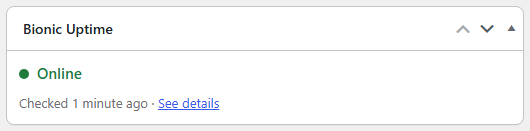
Our free plugin shows the site's status on the WordPress dashboard. It only reads the status; the checks and the emails work without it.
- Sign in and add the site.
- On the site's Edit page, open "Show this website's status in WordPress" and make a status key.
- In WordPress, go to Plugins, Add New Plugin, search for "Bionic Uptime", then install and activate it. It is listed on wordpress.org, or you can download the plugin and upload it.
- Paste the key under Settings, then Bionic Uptime.
See it before you sign up
Watch a real website being monitored right now, no sign-up, or see the exact email you get when a site goes down. 3 websites are free, forever, with no card. Up to 20 is $12 a month, one price for every client site.